
 Tanzania
 Kenya
Kenya Uganda
 Rwanda
 South Sudan
 Nigeria
 Ghana
Ghana South Africa
 Zambia
 India
India United Kingdom
 Global Route Africa
When checking on your emails you may see that the sort order is not how you want it, there are a number of ways to sort your emails, to set the sort order you will need to change this from within the webmail.
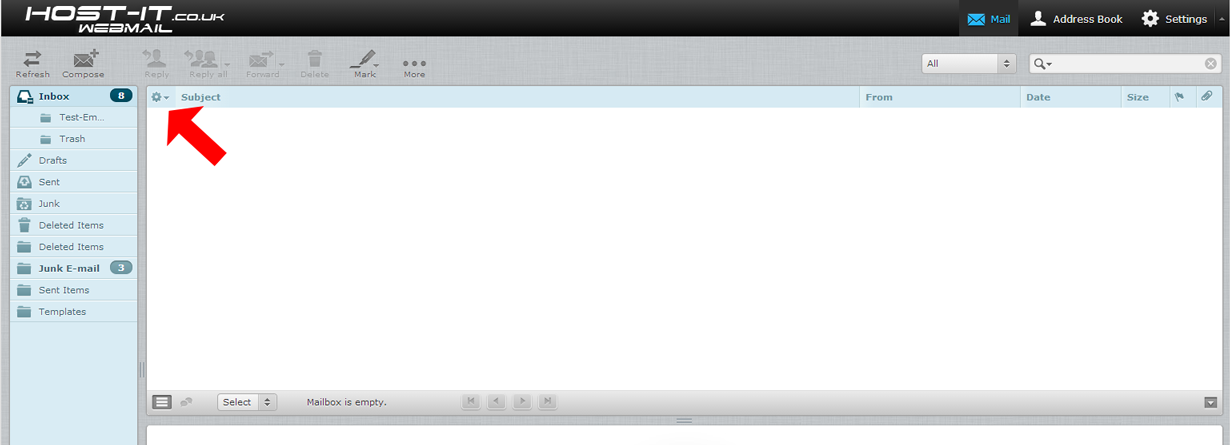
- Login to the webmail and then select the List Options button
2. Change the Sorting Column to the type that is required (Arrival date & None is recommended) then select save
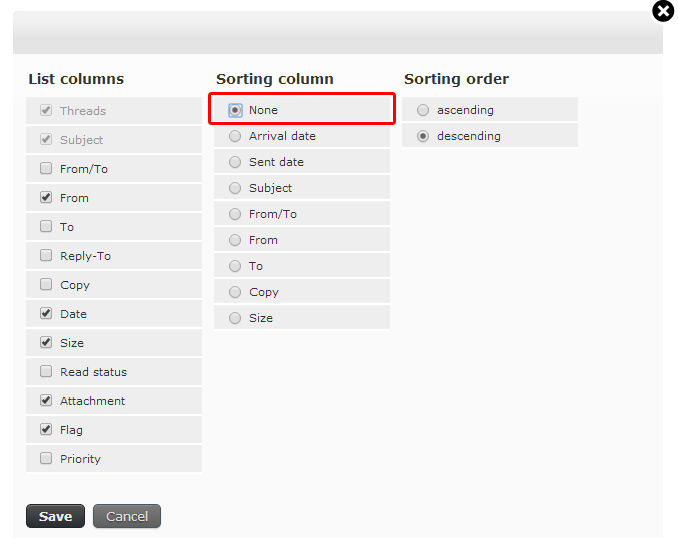
3. Complete